Delete Your Account
Account Management
The application uses Supabase Authentication to provide secure user login. When a new account is created using an email address, the account information is securely stored in Supabase, allowing the user to access the application at any time.
Users have full control over their account and personal data. An account, along with all associated data stored in the Supabase database, can be deleted at any time.
How to Delete Your Account
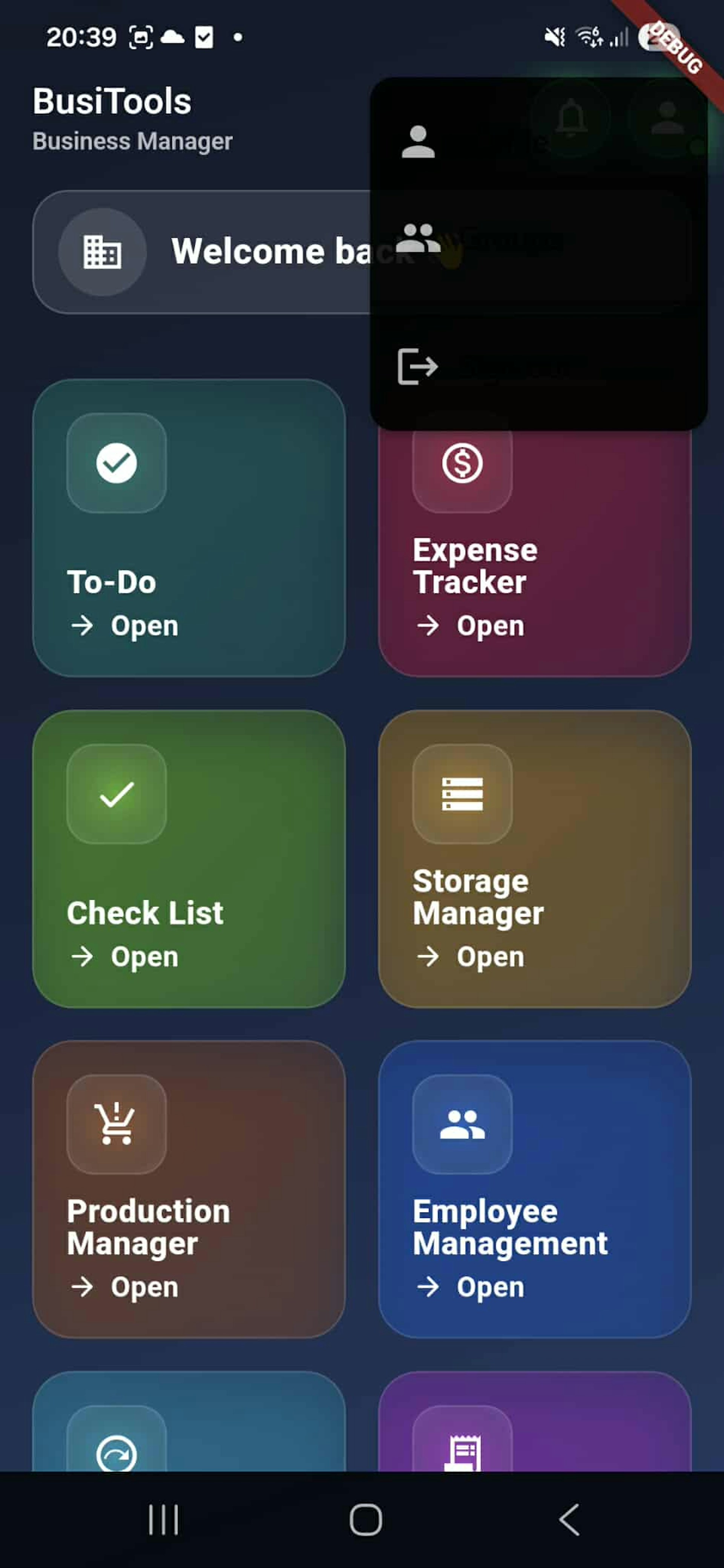
Make sure you are logged in to the application. Open the Menu screen and tap the icon in the top-right corner. A pop-up menu will appear with the options Profile, Groups, and Logout. Select Profile (person icon) to access account management, where you can delete your account.
Delete Your Account
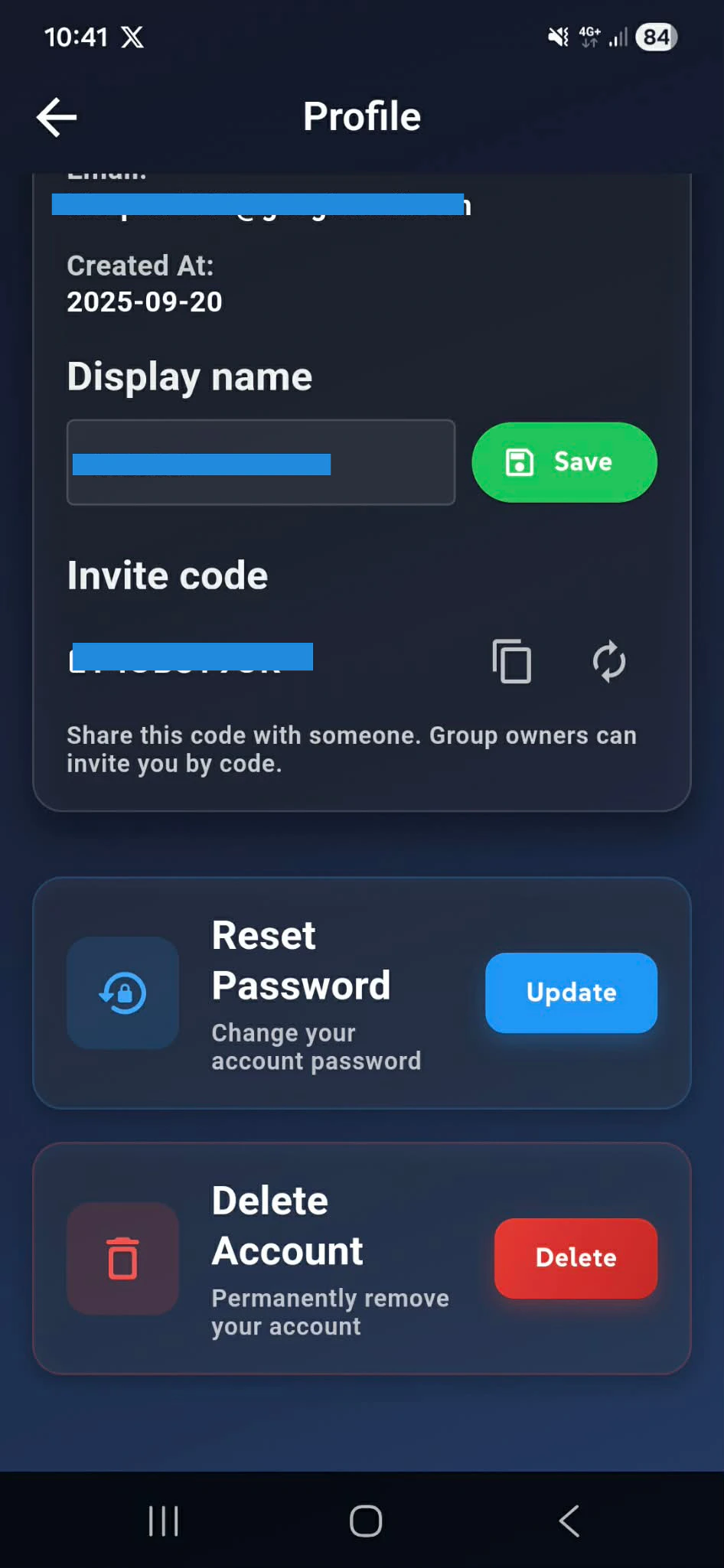
Profile Screen Overview
While on the Profile screen, the user can view the information stored in the Supabase database. This information includes the email address and username when using Supabase Authentication.
Available Actions
The Profile screen provides two main action buttons.
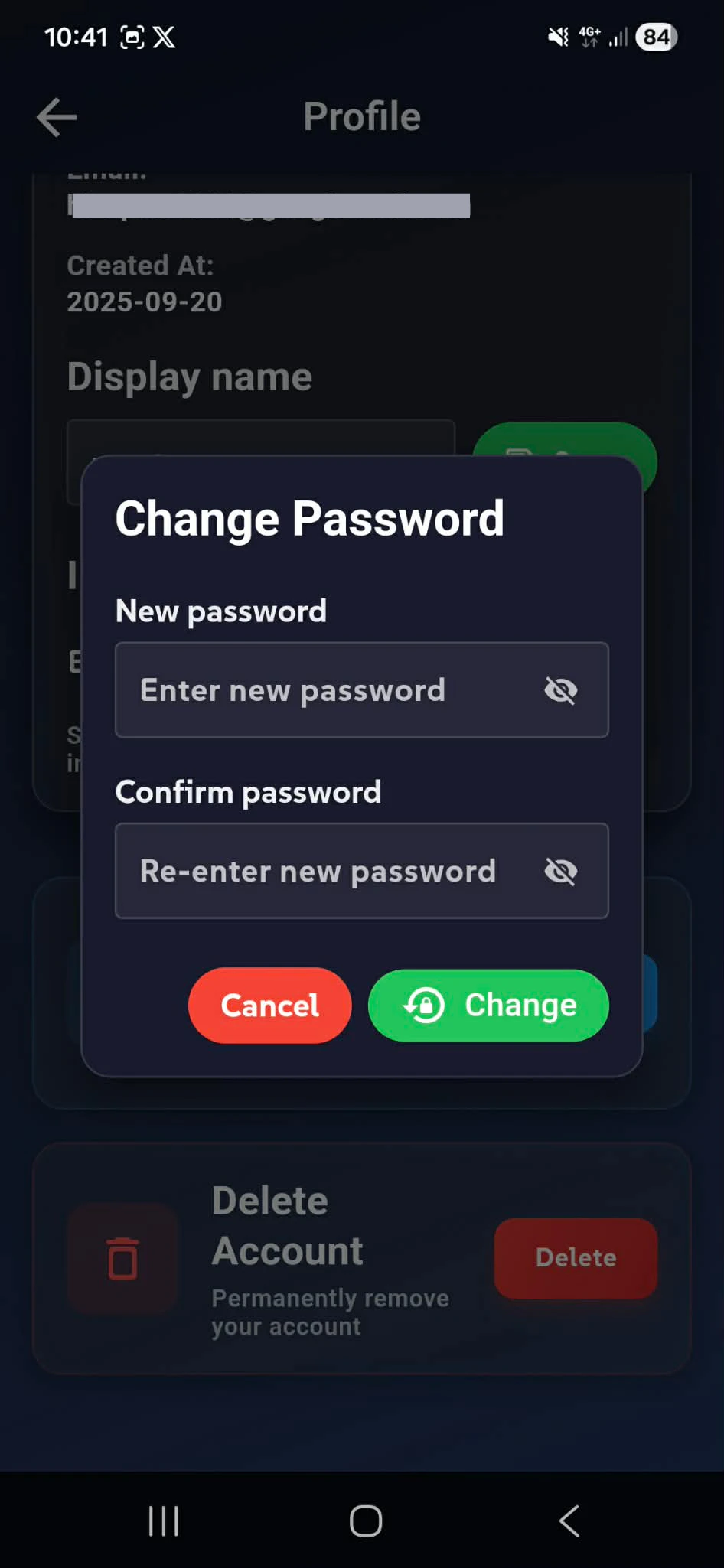
Reset Password
This option allows the user to securely change their password.
Delete Account
This option permanently removes the user’s account and all associated data. The Delete Account button is highlighted with a red background to clearly indicate that this action is permanent and irreversible.
Deleting an Account
If the user decides to delete their account, they can do so by selecting the Delete Account button. This action permanently removes the account and all related data from the Supabase database.
To delete your Busi Tools account:
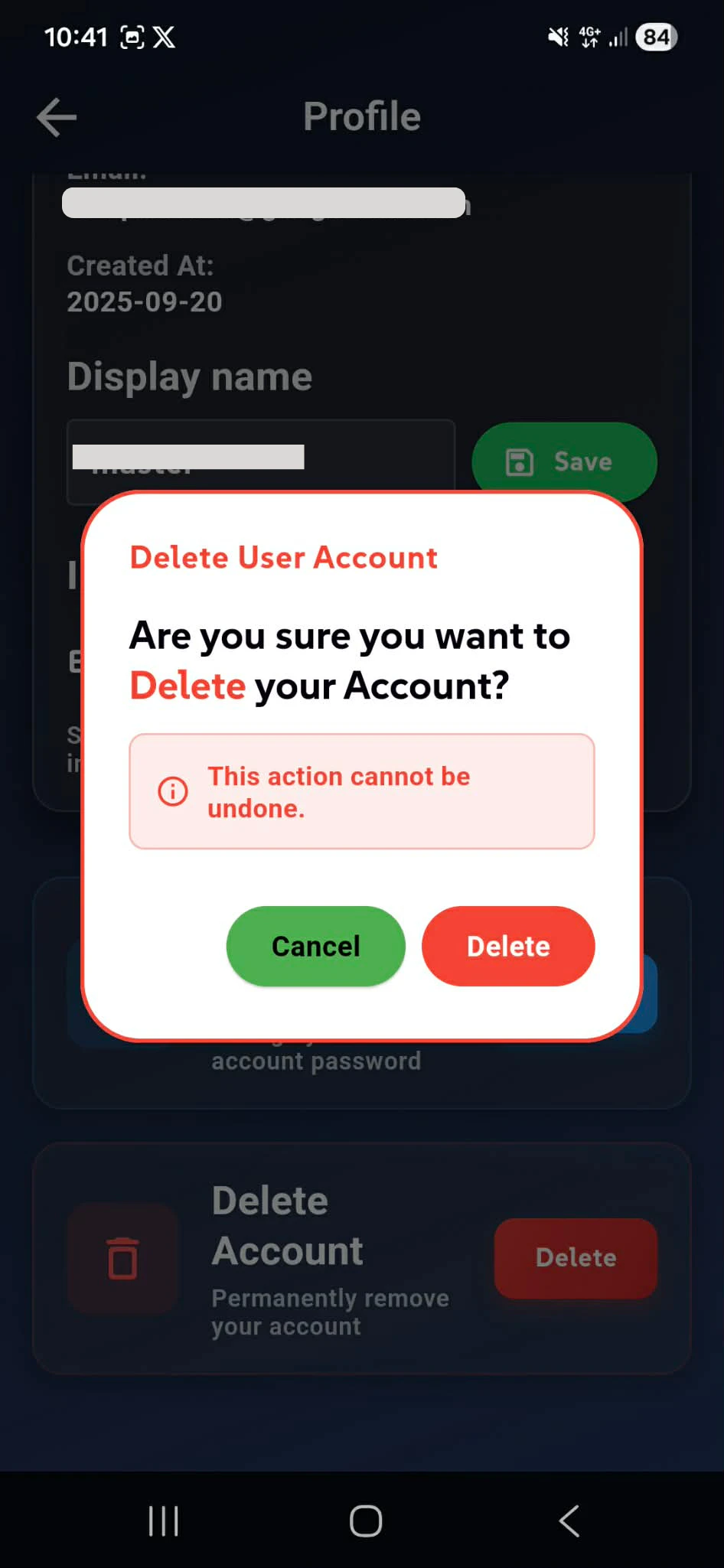
When the user selects Delete Account, a confirmation modal is displayed asking them to confirm whether they truly want to delete the account. This additional step is included to prevent accidental account deletion from the Profile screen.
If the user confirms the action by pressing the Delete button with a red background in the modal, the account will be permanently deleted. All associated user data will be removed from Supabase, and the user will be automatically logged out and redirected to the Home screen.
After this point, the user will need to create a new account in order to access any services that require authentication.
Profile
Reset Your Password
Reset Your Password